
Varyom is operated by Qacci Inc. This page documents how members enroll in service text messages from Shem, Varyom's assistant. Account settings themselves are private and only visible to the signed-in member.
Where members opt in
Sign in → Shem assistants → Phone reports → Text messages from Shem
The member must first have a verified mobile number on their account. They then tick the SMS consent box and press Save text preferences. After the preferences are stored, the panel shows a confirmation message.
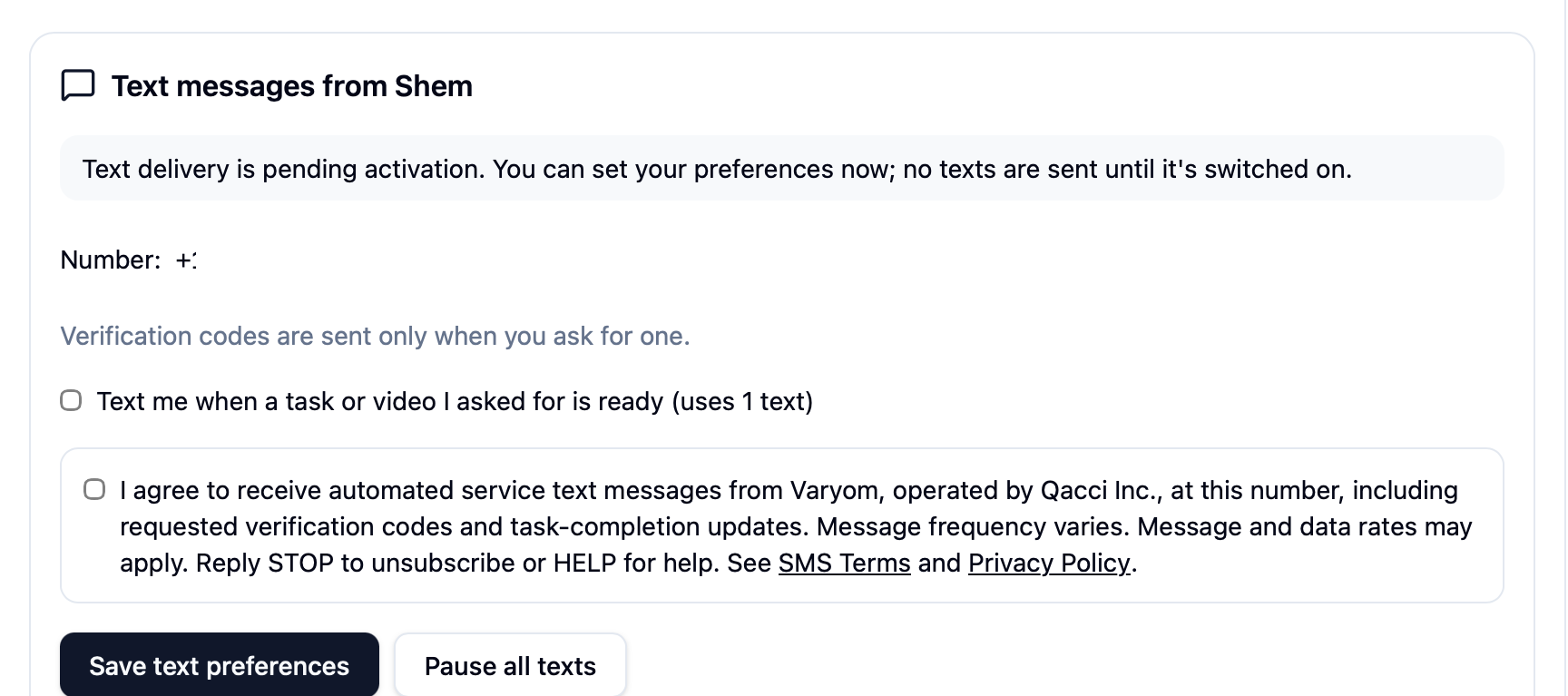
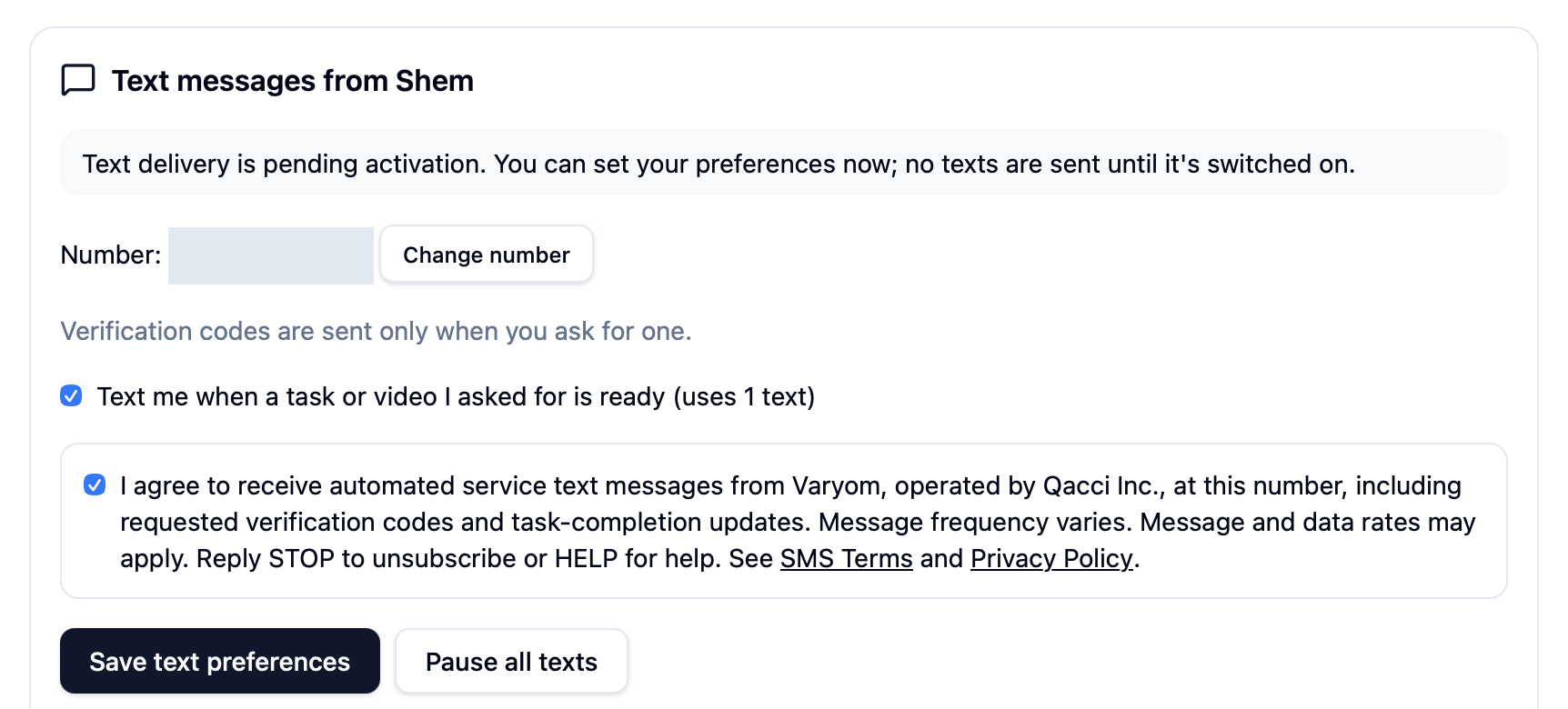
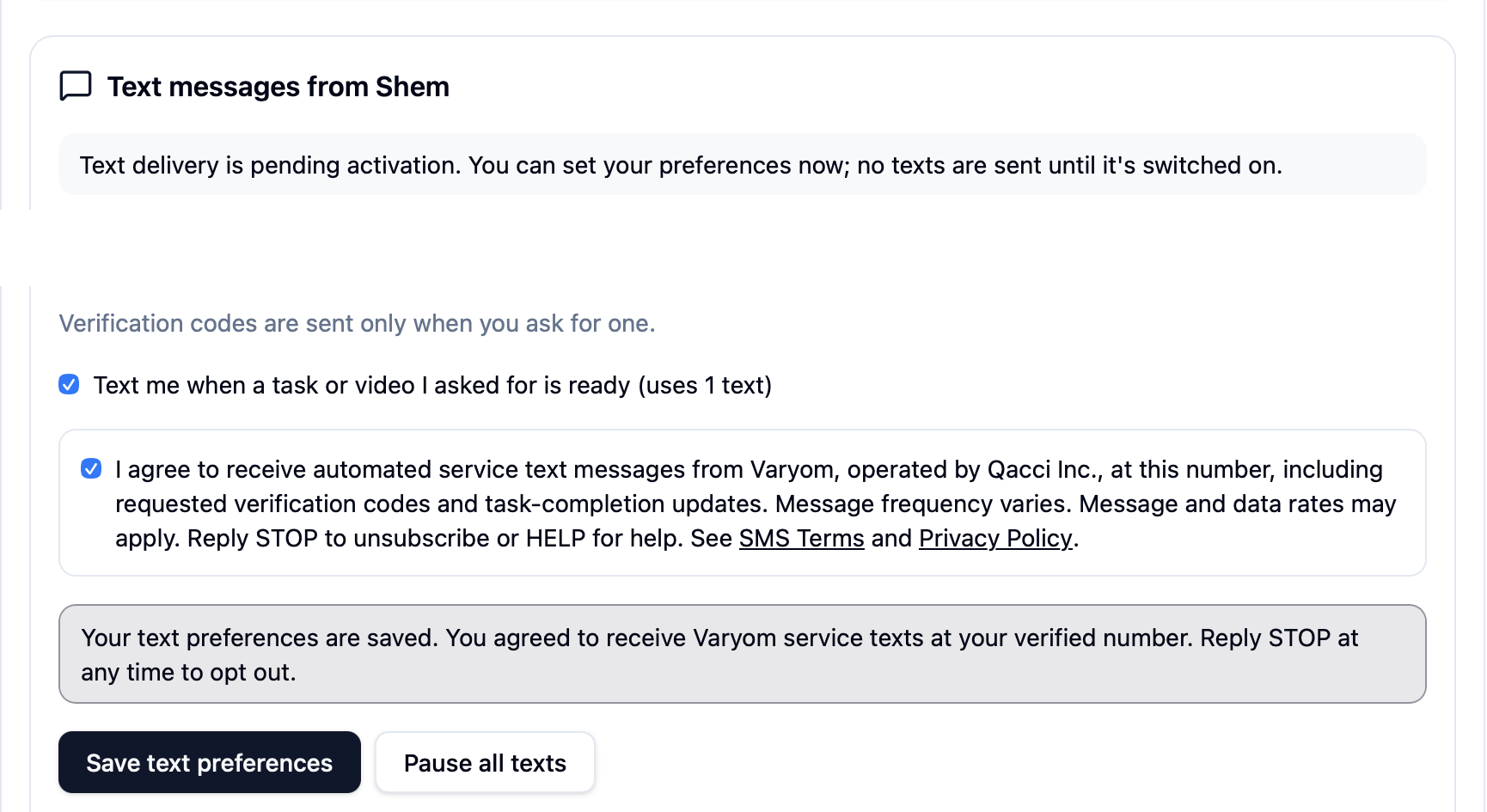
Exact consent wording shown in the app
I agree to receive automated service text messages from Varyom, operated by Qacci Inc., at this number, including requested verification codes and task-completion updates. Message frequency varies. Message and data rates may apply. Reply STOP to unsubscribe or HELP for help. See SMS Terms and Privacy Policy.
Consent is optional and separate
- The SMS consent box is unchecked by default. Members tick it themselves.
- SMS consent is optional and is not a condition of any purchase.
- SMS consent is separate from consent to receive voice calls. Agreeing to calls does not opt a member in to texts.
- Changing the phone number clears SMS consent; the member must agree again for the new number.
What members receive
- Verification codes, only when the member requests one.
- Task and video completion alerts, only if the member turns them on.
- Message frequency varies. Message and data rates may apply.
- Reply STOP to unsubscribe or HELP for help at any time.
Current status
Text message sending is currently disabled while our messaging campaign is under review.